Screenshots on your Mac, explained in seconds.
Press ⌘⇧4, point at what matters, blur what’s private and drag the result into Slack, Mail or Linear. Prinx lives in your menu bar on macOS 26.
7 days free, then US$29.99 once · Mac, iPhone and iPad · No subscription
7 days free, then US$29.99 once Mac, iPhone and iPad · No subscription
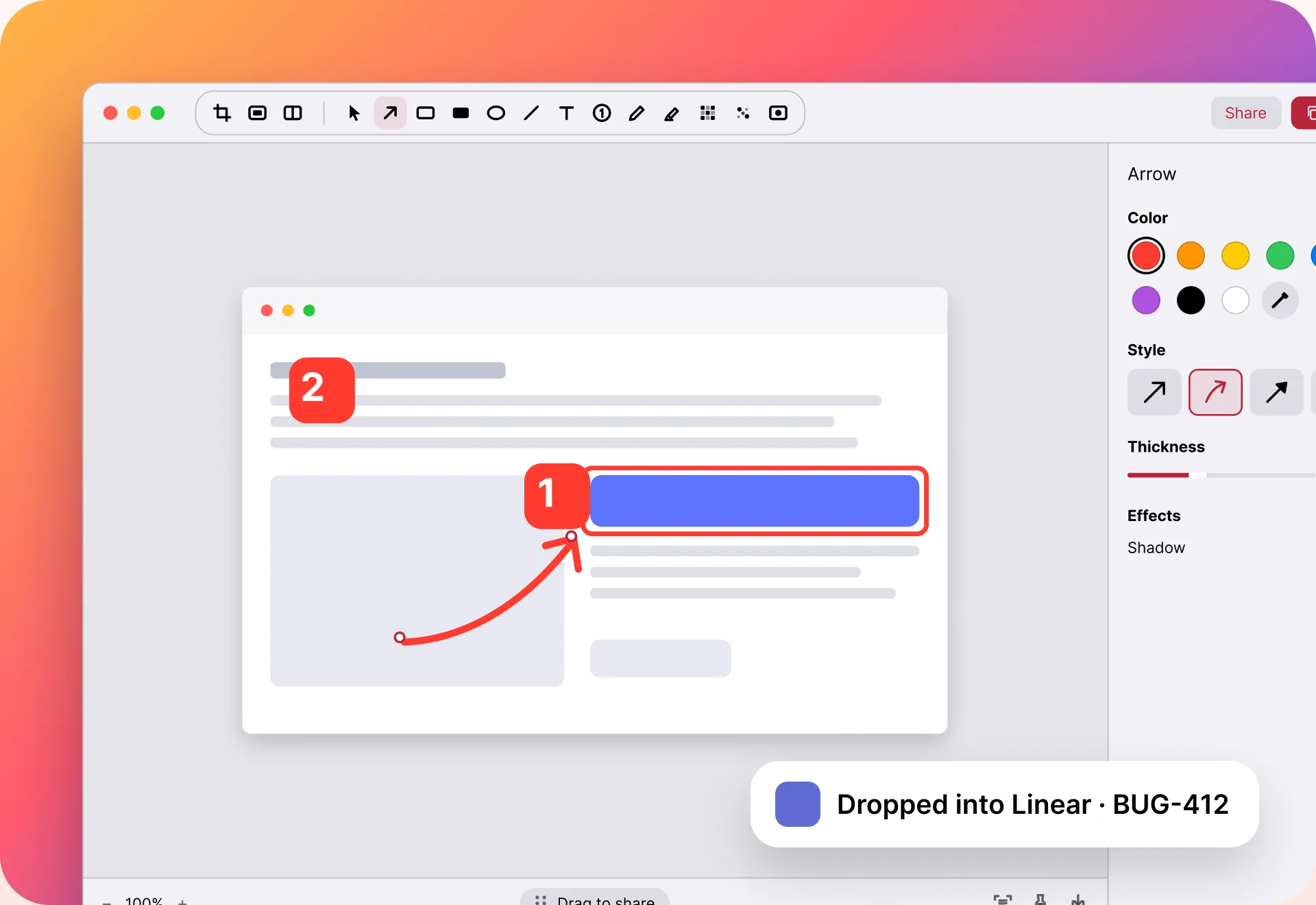
From ⌘⇧4 to sent.
No windows to manage. Prinx opens when you capture and steps aside when you share.
Capture
Press ⌘⇧3, ⌘⇧4 or ⌘⇧5, or pick Area, Window or Full Screen in the menu bar. It opens ready to mark up.Press ⌘⇧4, or pick Area or Window in the menu bar.
Point
Drag to draw an arrow. Add a box, a number, text or blur. Shapes snap to what you’re pointing at.
Share
Use the Quick Access card: copy, drag into any app or save. Your arrows stay editable.
Built for the way you use your Mac.
Prinx stays in your menu bar until you press the keys you already know.
Your shortcuts, upgraded
⌘⇧3, ⌘⇧4 and ⌘⇧5 open Prinx. Give them back to macOS anytime.
Area, window or full screen
Press a shortcut or pick one from the menu bar. Windows come out clean.
Quick Access after every capture
Copy, drag or save from a small card — no window to open.
Blur in one stroke
Names, emails and card numbers disappear before you share.
Steps that count themselves
1, 2, 3 in three clicks. Delete one and the rest renumber.
Backgrounds and frames
Padding, a background and a device frame in one click.
Find it by its text
History reads every word in every screenshot, right on your Mac.
Compare two screenshots
Pick two in History to see before and after, side by side.
Mac questions, answered.
Can I keep using ⌘⇧4?
Yes. Prinx can take over ⌘⇧3, ⌘⇧4 and ⌘⇧5. macOS asks you once, and you can give them back anytime from Prinx.
Why does Prinx ask for Screen Recording?
macOS asks for it for any app that captures your screen. Prinx uses it only when you take a screenshot — nothing is recorded.
Which macOS do I need?
macOS 26 or later.
Do I pay again for iPhone and iPad?
No. One purchase of Prinx Pro covers your Mac, iPhone and iPad on the same Apple ID.

Your next screenshot
already explains itself.
Free for 7 days. Then one purchase for your Mac, iPhone and iPad.
Download on theApp Store